
Dodge the thundering herd with file-based OPcache
Tech
In the blog post about Fine-Tuning OPcache Configuration I mentioned the thundering herd problem that affects OPcache during cache restarts.
When OPcache is restarted, either automatically or manually, all current users will attempt to regenerate the cache entries. Under load this can lead to a burst in CPU usage and significantly slower requests.
When running your PHP application inside containers, and potentially AWS Lambda or other serverless function platforms, then there is also the “cold start” problem. The first request is much slower than subsequent requests.
For these scenarios, OPcache comes with a persistent secondary file-based cache. It can read the generated opcodes from disk instead of having to recompile the code after cache restart. This happens only when the compiled opcaches are not found in shared memory.
A persistent cache can fix the problems for high traffic sites that experience thundering herds during deployments, or thecold start problem and allows new deployment patterns that can avoid restarting php-fpm or OPcache directly.
You can control the file cache behavior with three new ini settings:
opcache.file_cache=/var/tmp/php/opcache
opcache.file_cache_only=1 # Useful for CLI
opcache.file_cache_consistency_checks=1
And with PHP 8.5, there is a new setting that allows you to use the file cache with read only disks/volumes:
opcache.file_cache_read_only=1To compile the scripts into the file cache during deployment, you can recursively iterate over your code files and then call the function opcache_compile_file on them. This will generate the file cache file and then use it from the web context when the application starts receiving traffic for the new deployment / version.
About the author
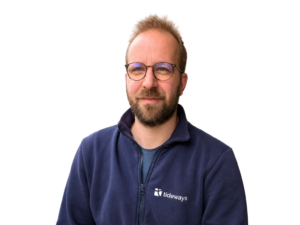
I am the founder and CEO of Tideways. I started the company over 10 years ago with the mission to move the PHP ecosystem forward, starting with performance. As managing director, I work across product, strategy, and the day-to-day of building a developer-focused SaaS business.
I’m a core contributor to the Doctrine open-source project and a founding board member of the PHP Foundation, which reflects my long-standing commitment to the PHP ecosystem. I particularly enjoy working at the intersection of application performance, developer experience, and the open-source community that makes PHP what it is. Outside of work, I enjoy board games, hiking, and coffee.